
WebStorm 已經提供 Vue Plugin 完整支援 Vue,唯一只有 .vue 格式縮排部分,Webstorm 與 Vue 的看法迥異,在 Reformat Code 之後,縮排會完全跑掉,需要稍微調整。
Version
WebStorm 2021.1
Vue 2.6.11
Coding Style
CSS
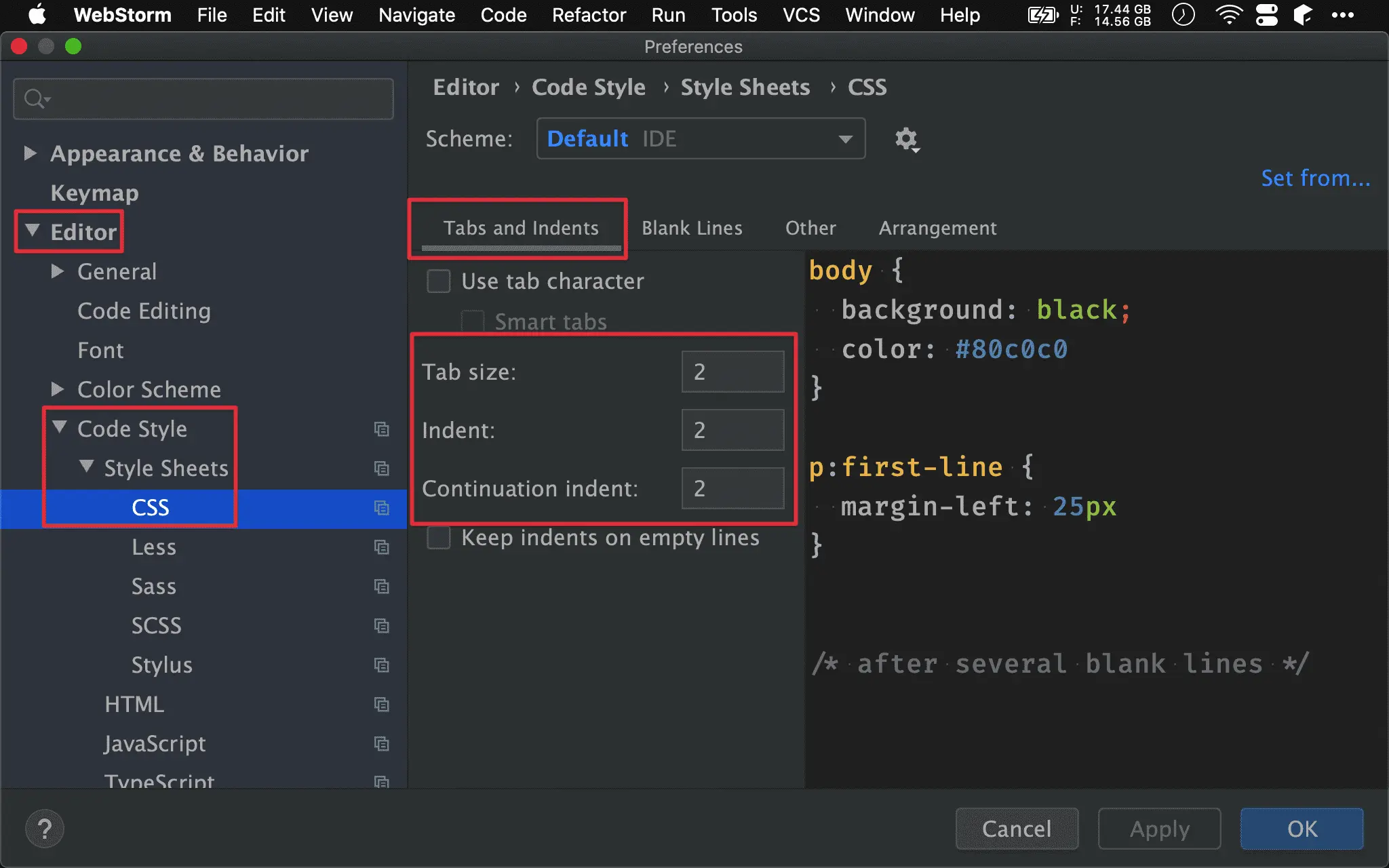
Preferences -> Editor -> Code Style -> Style Sheets -> CSS
Tab size:2Indent:2Continunation indent:2
HTML
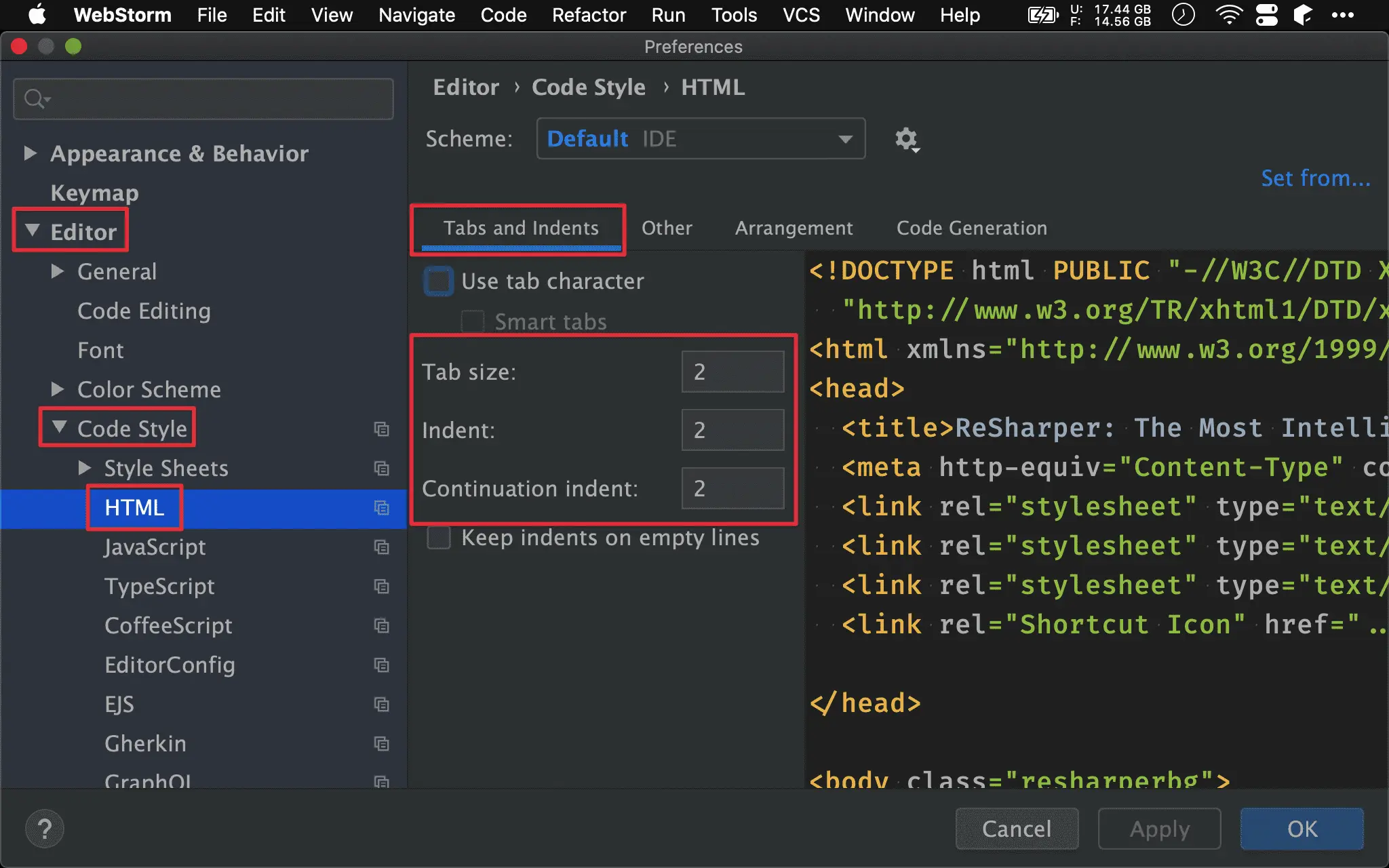
Preferences -> Editor -> Code Style -> HTML -> Tabs and Indents
Tab size:2Indent:2Continunation indent:2
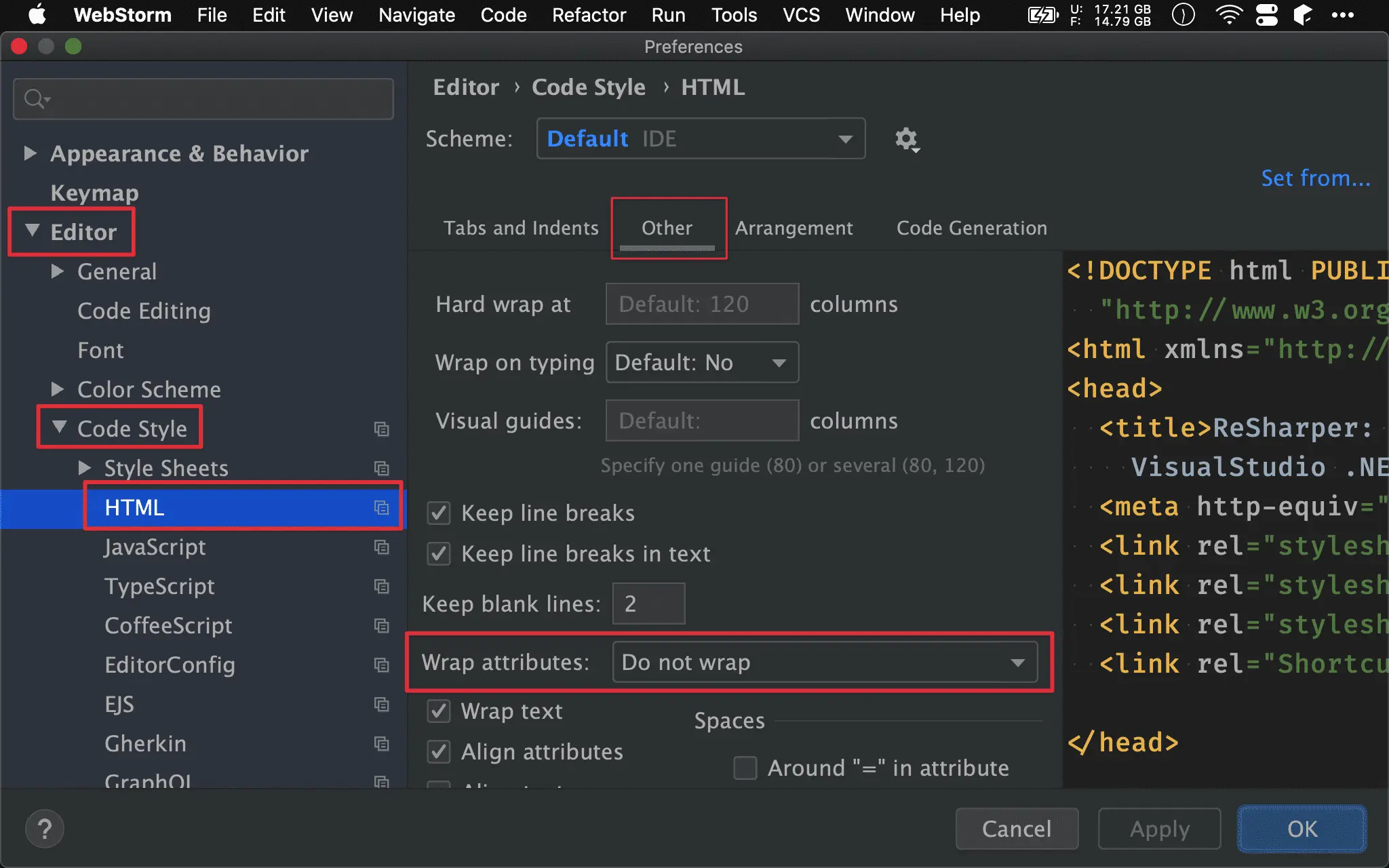
Preferences -> Editor -> Code Style -> HTML -> Other
Wrap attributes:Do not wrap
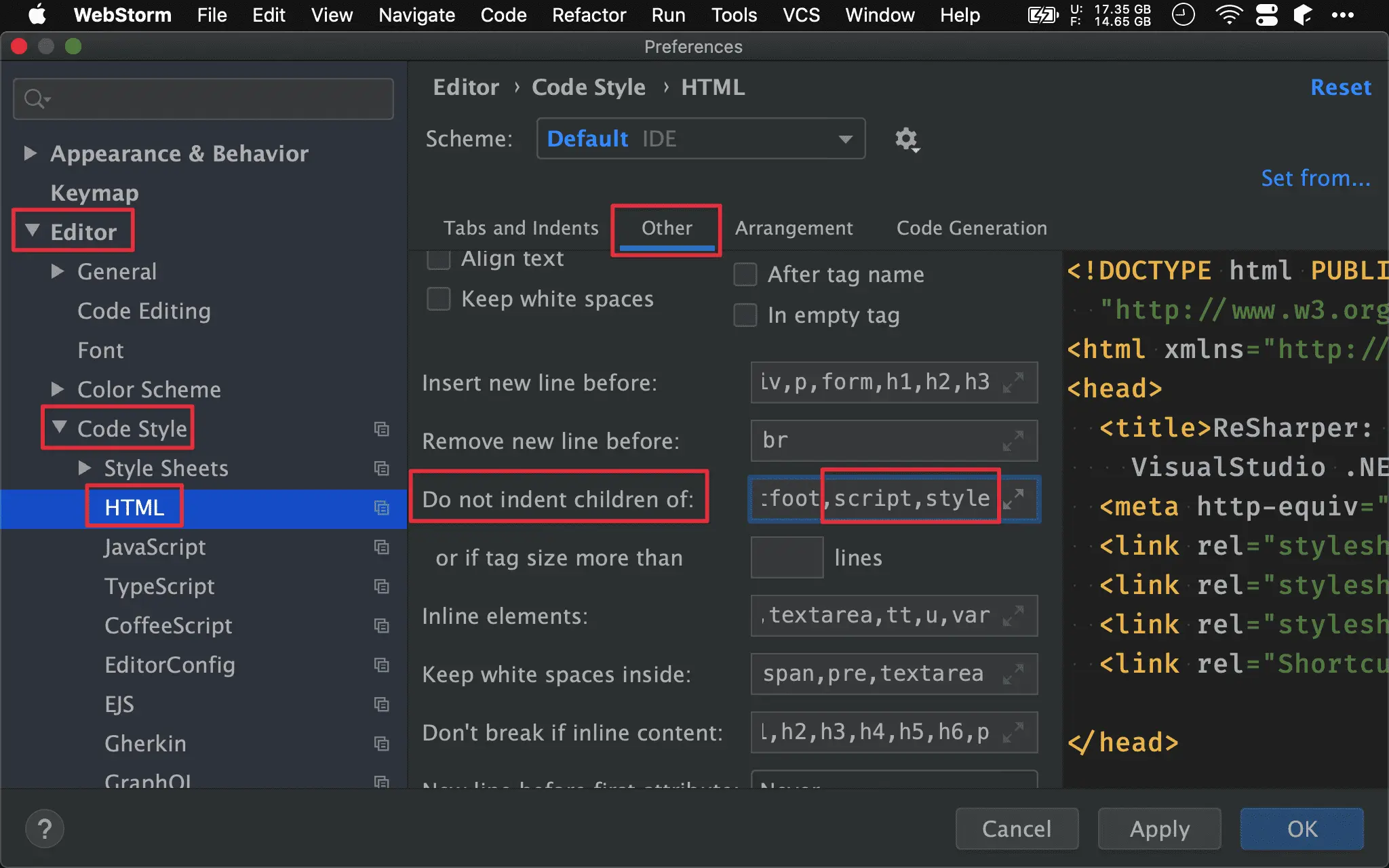
Preferences -> Editor -> Code Style -> HTML -> Other
Do not indent children of: 新增script與style
也就是
<script/>與<style/>的第一層不縮排,符合 Vue 的習慣
JavaScript
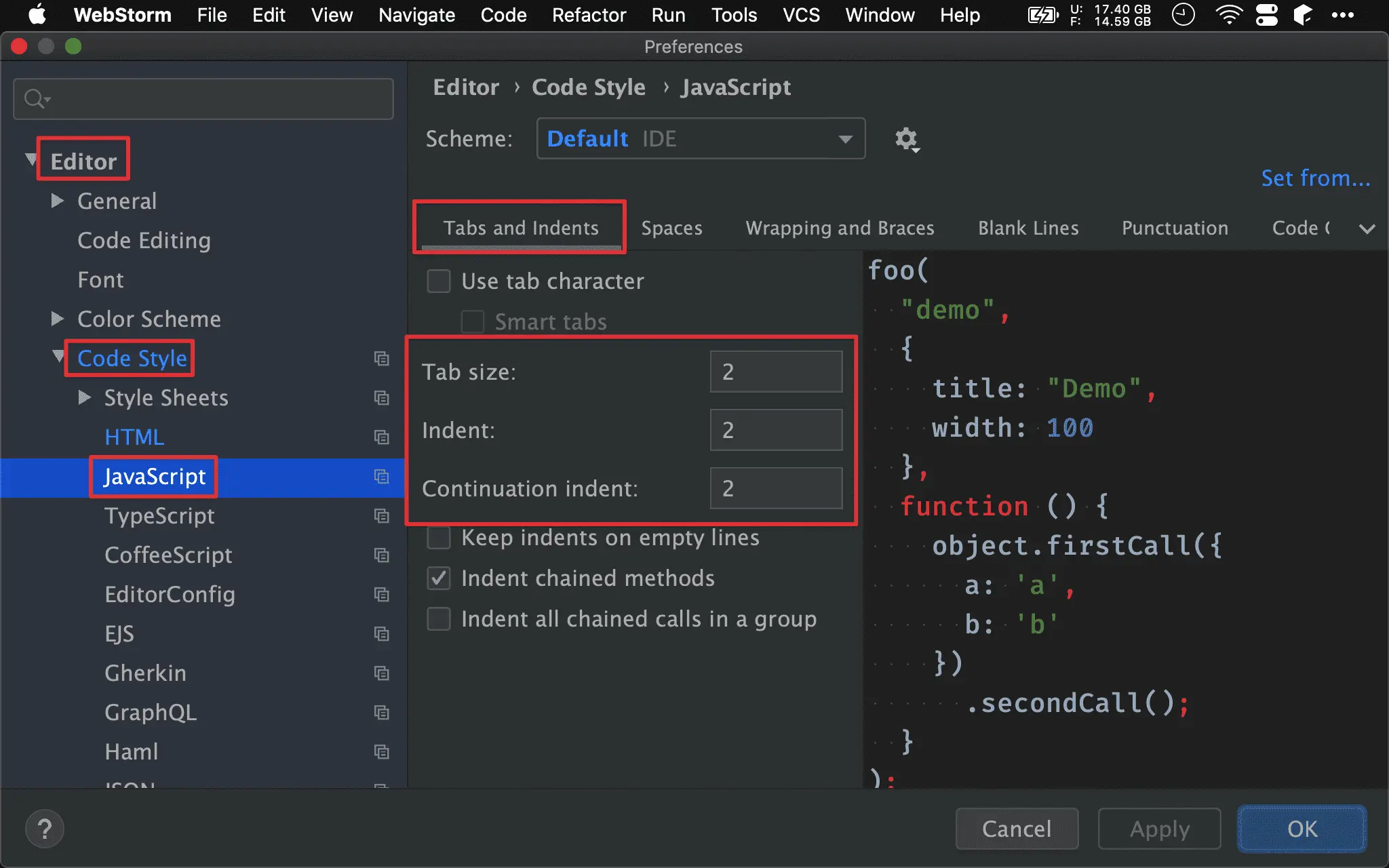
Preferences -> Editor -> Code Style -> JavaScript -> Tabs and Indents
Tab size:2Indent:2Continunation indent:2
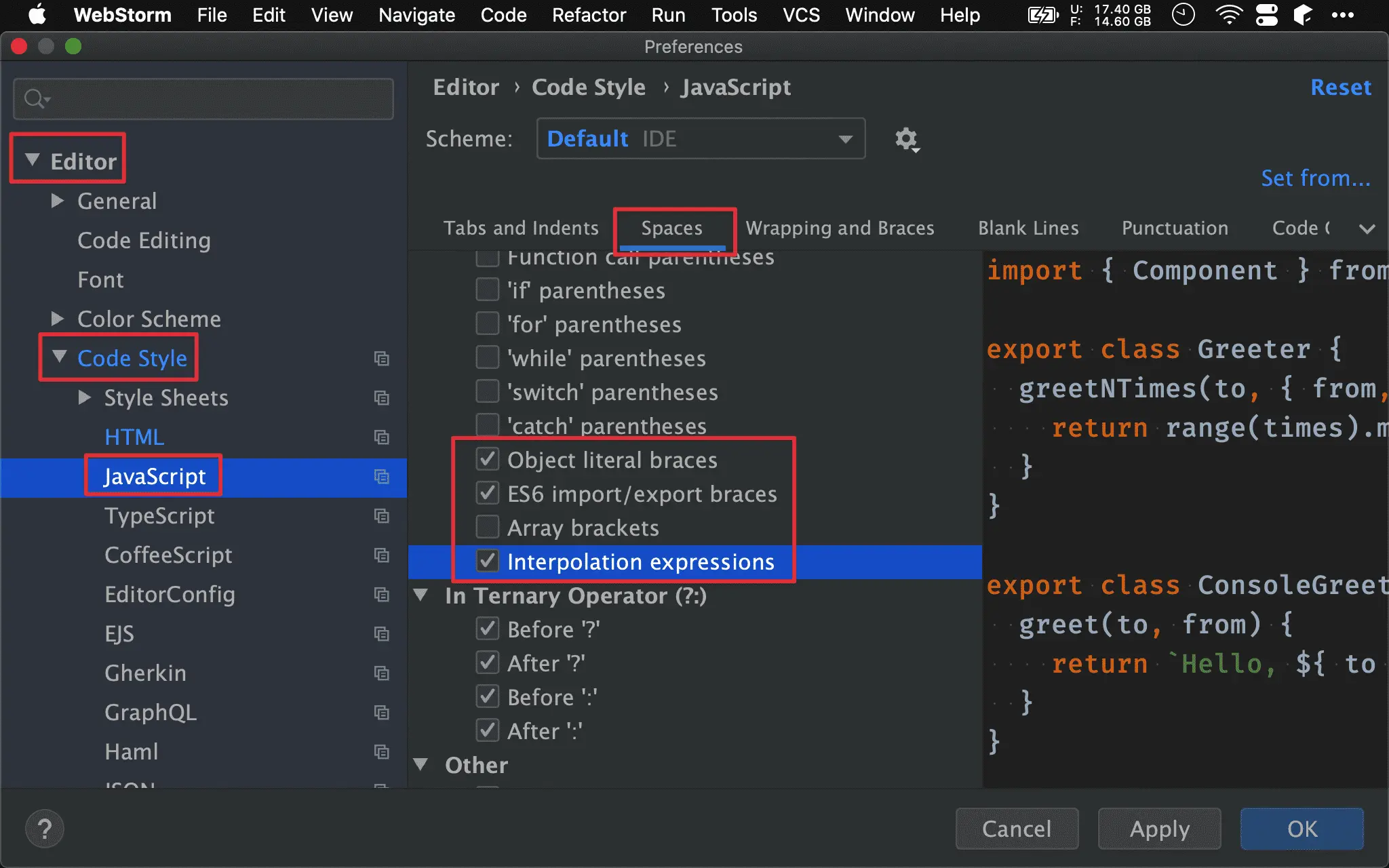
Preferences -> Editor -> Code Style -> JavaScript -> Spaces
Object literal braces:trueES6 import/export braces:trueInterpolation expressions:true
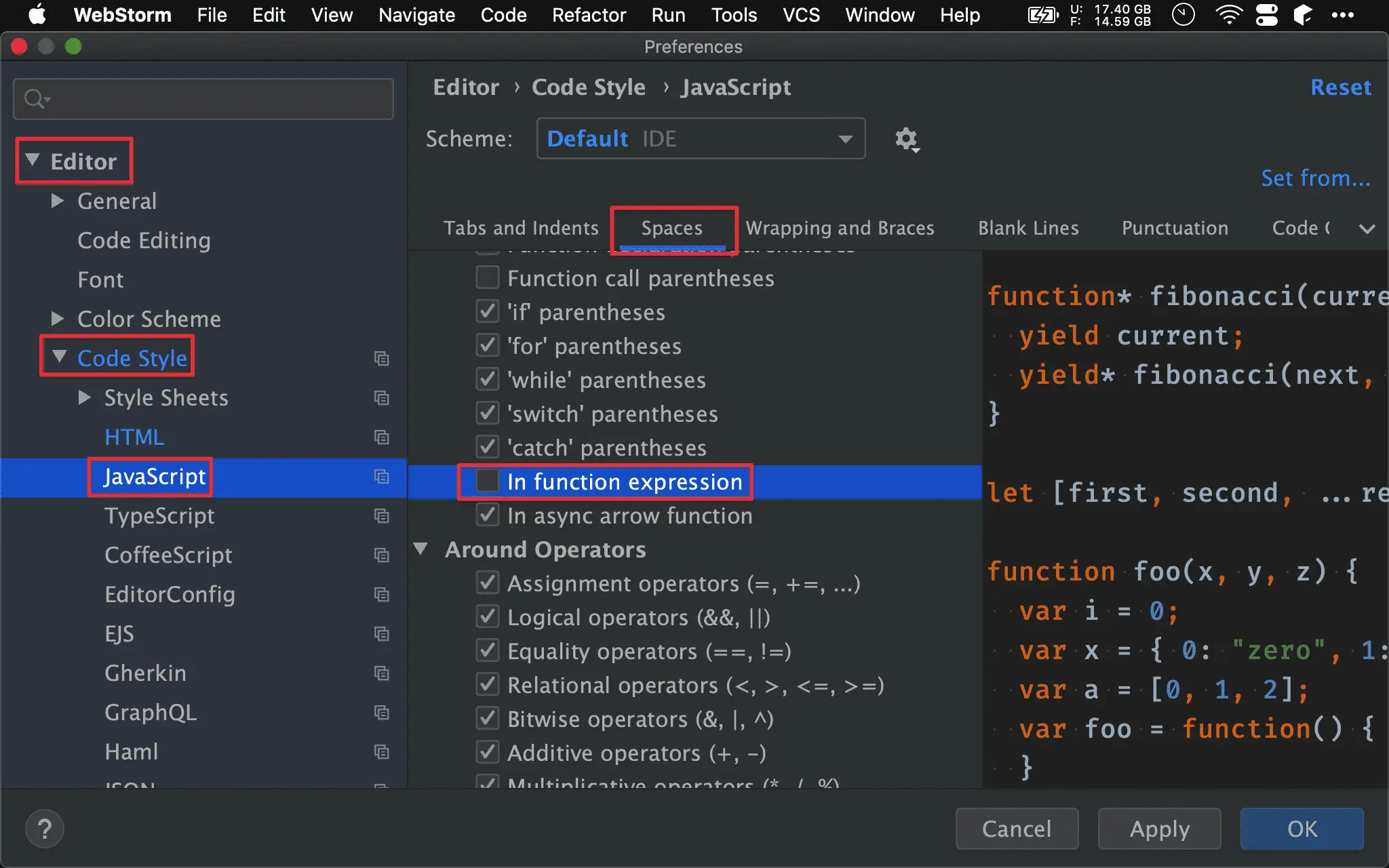
Preferences -> Editor -> Code Style -> JavaScript -> Spaces
In function expression:false
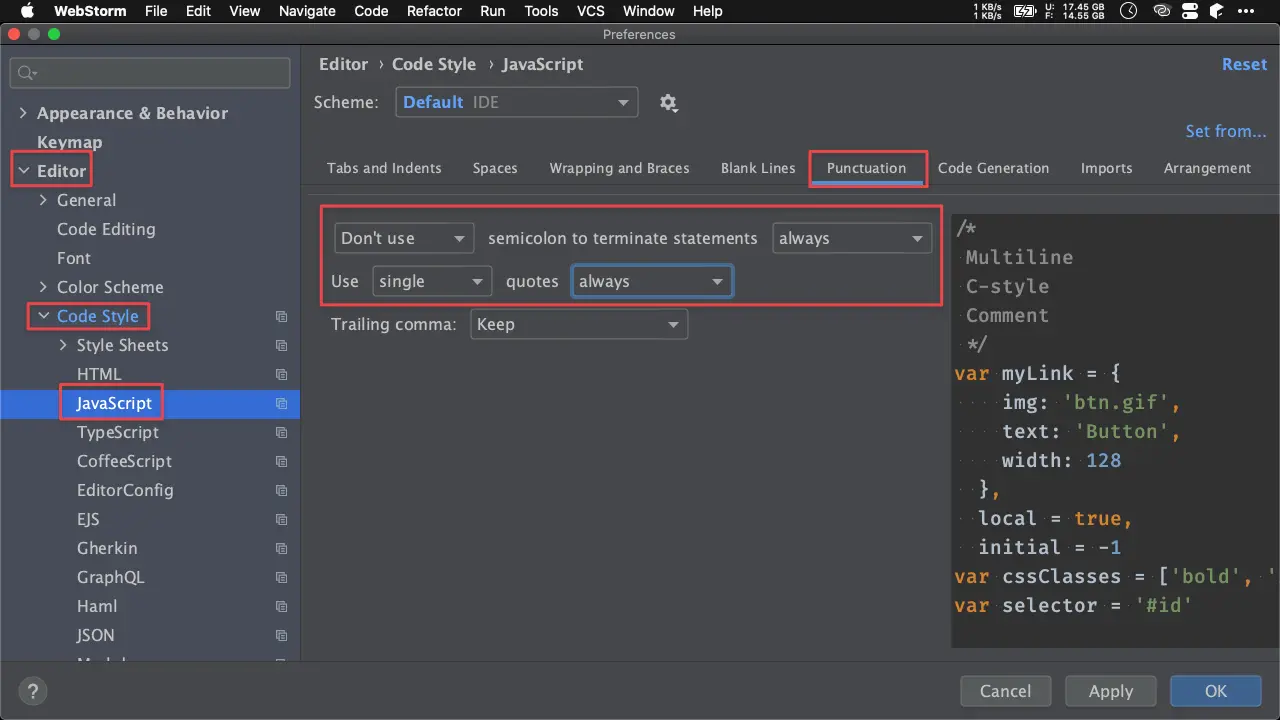
Preferences -> Editor -> Code Style -> JavaScript -> Punctuation
Don't usesemicolon to terminate statementalways- Use
singlequotesalways
Preferences -> Editor -> Code Style -> JavaScript -> Wrapping and Braces -> Ternary operation
Align when multiline:true? and : signs on next line:true
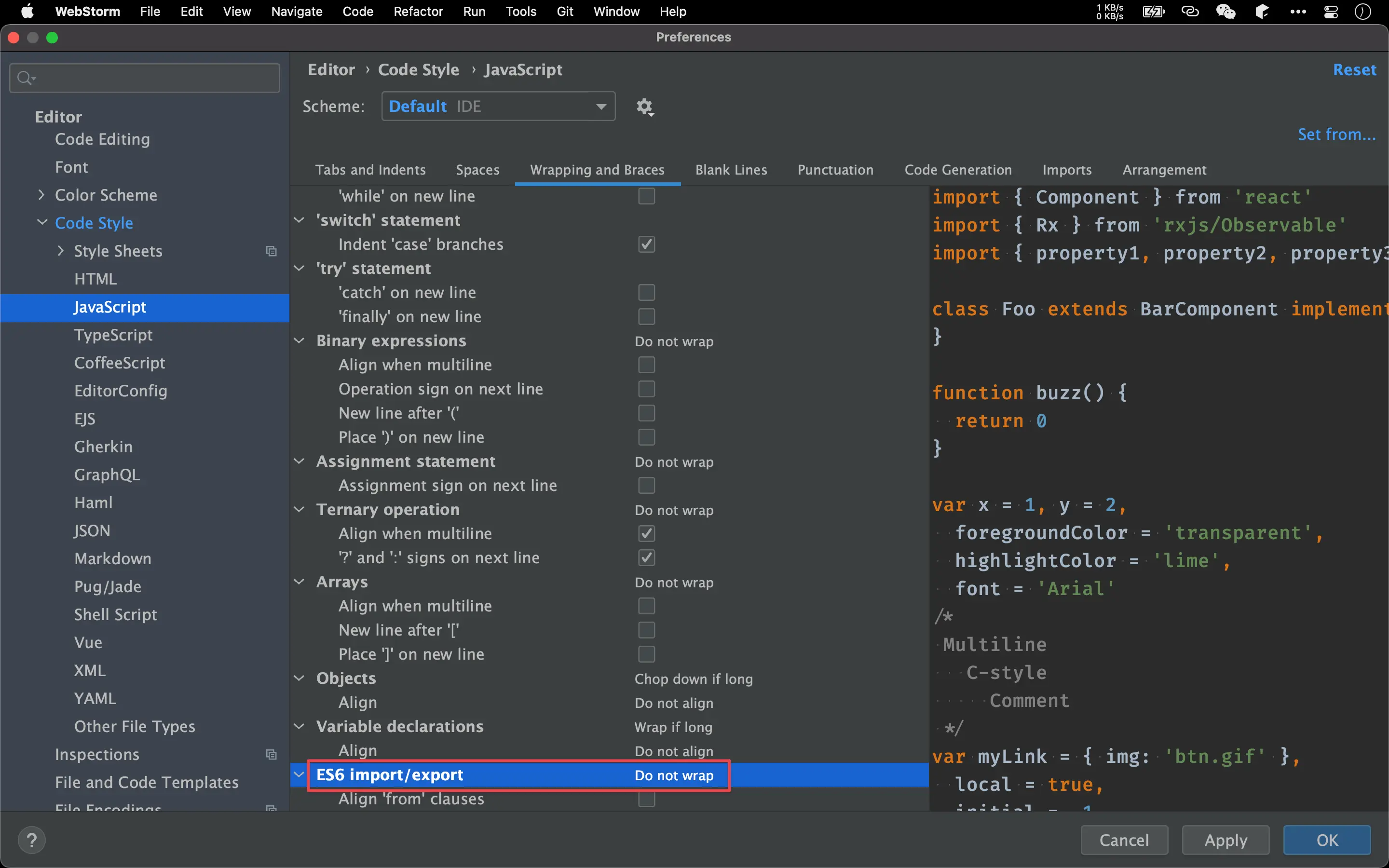
Preferences -> Editor -> Code Style -> JavaScript -> Wrapping and Braces
ES6 import/export:Do not wrap
避免使用 Ramda 時 import 太多 function 而換行
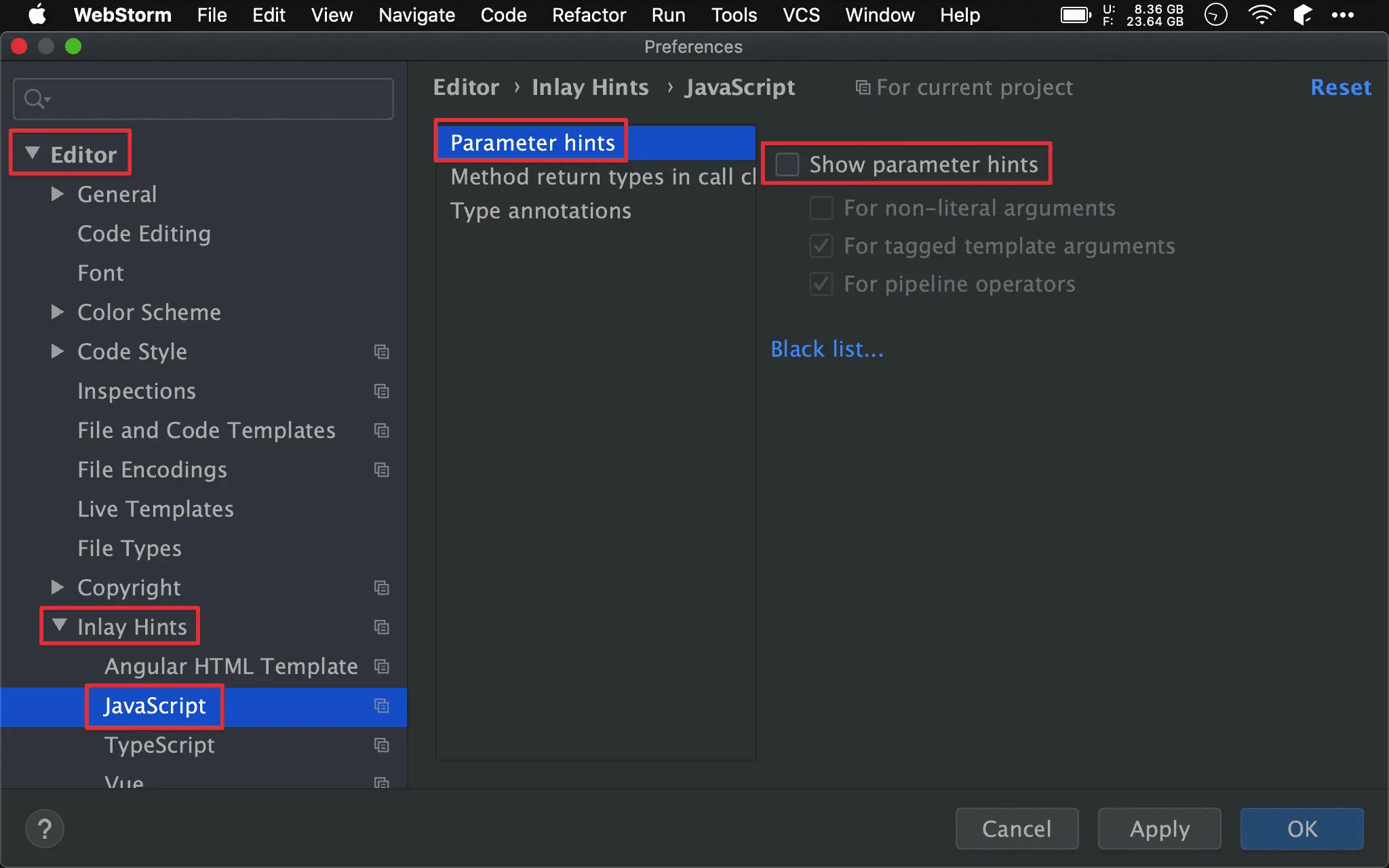
Preferences -> Editor -> Inlay Hints -> JavaScript -> Parameter hints
Show parameter name hints:false
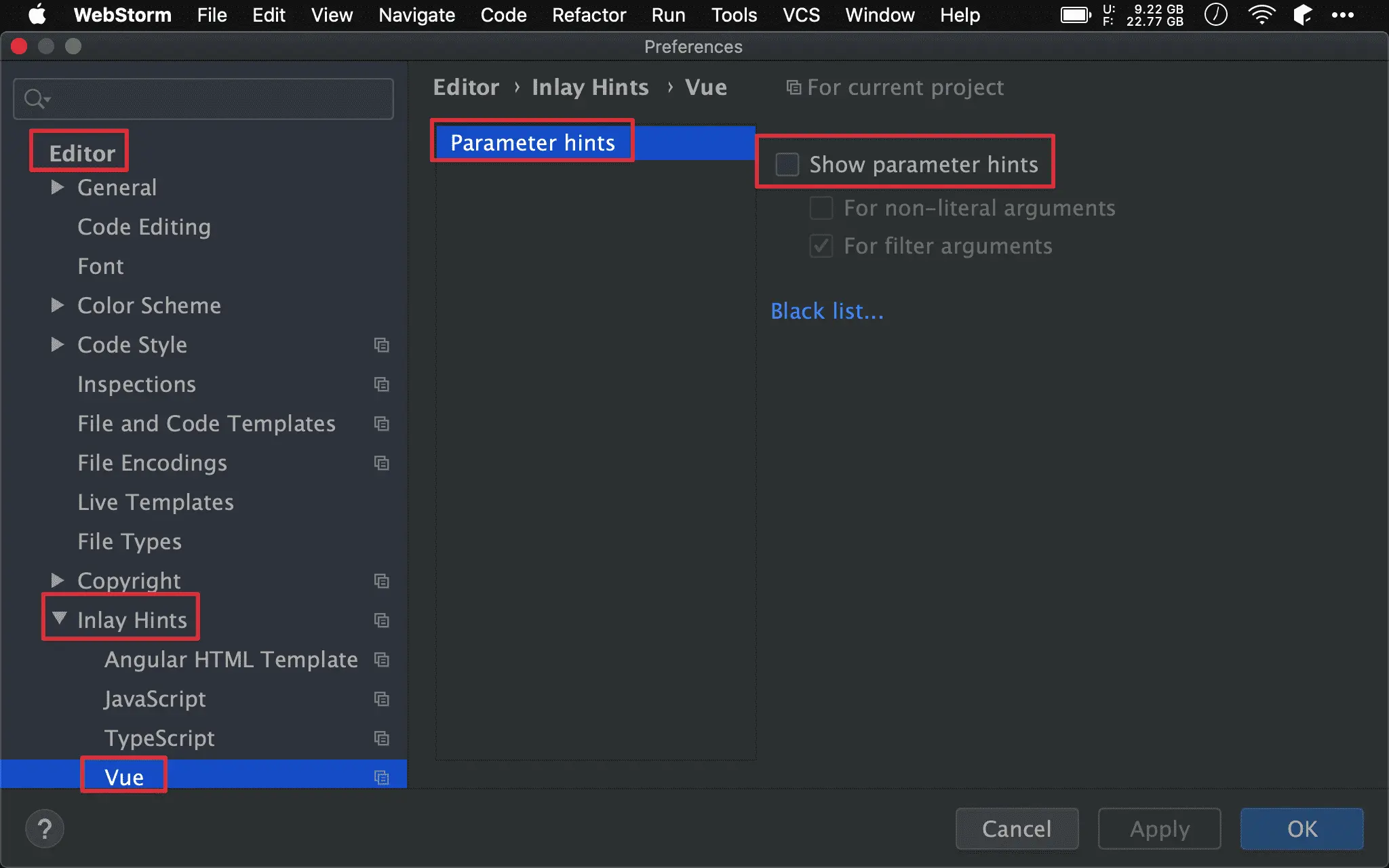
Show parameter name hints:false
Inspection
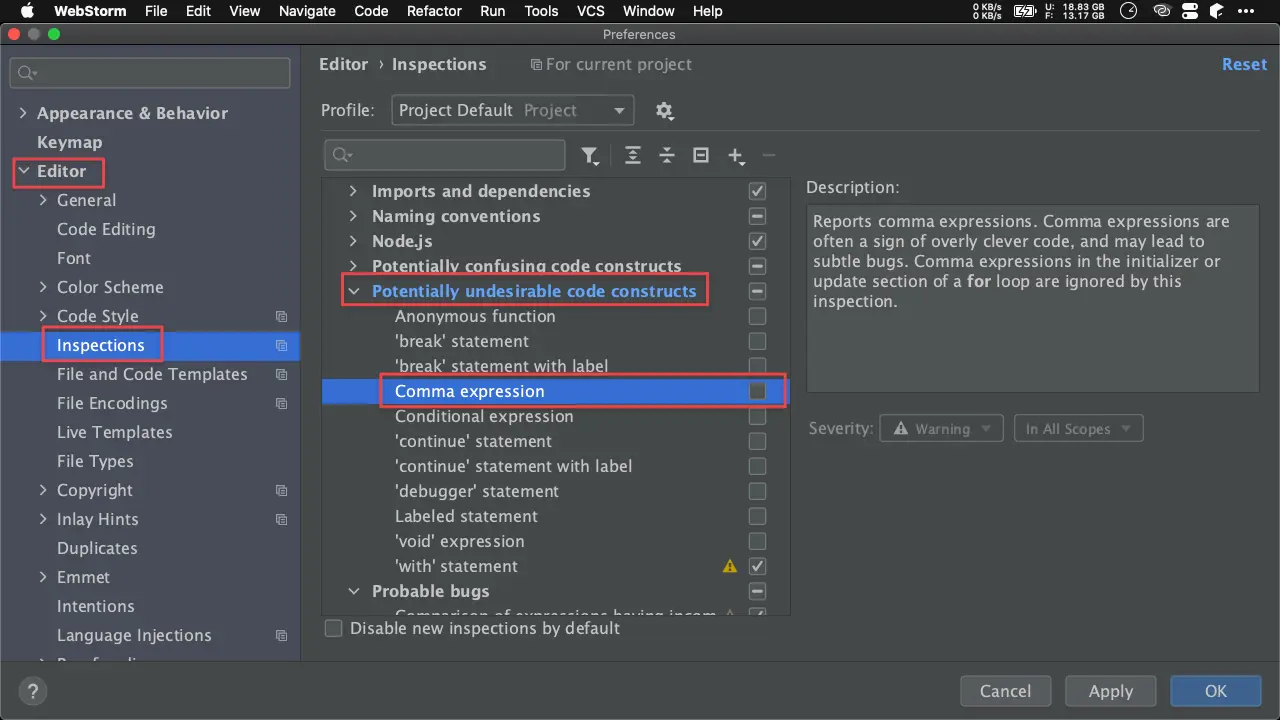
Preferences -> Editor -> Inspections -> JavaScript and TypeScript -> Potentially undersirable code constructs
Comma expression:false
WebStorm 只要看到使用 comma operator 就會出現 warning,事實上
,在有些場合很好用,因此加以 disable
Web Browsers
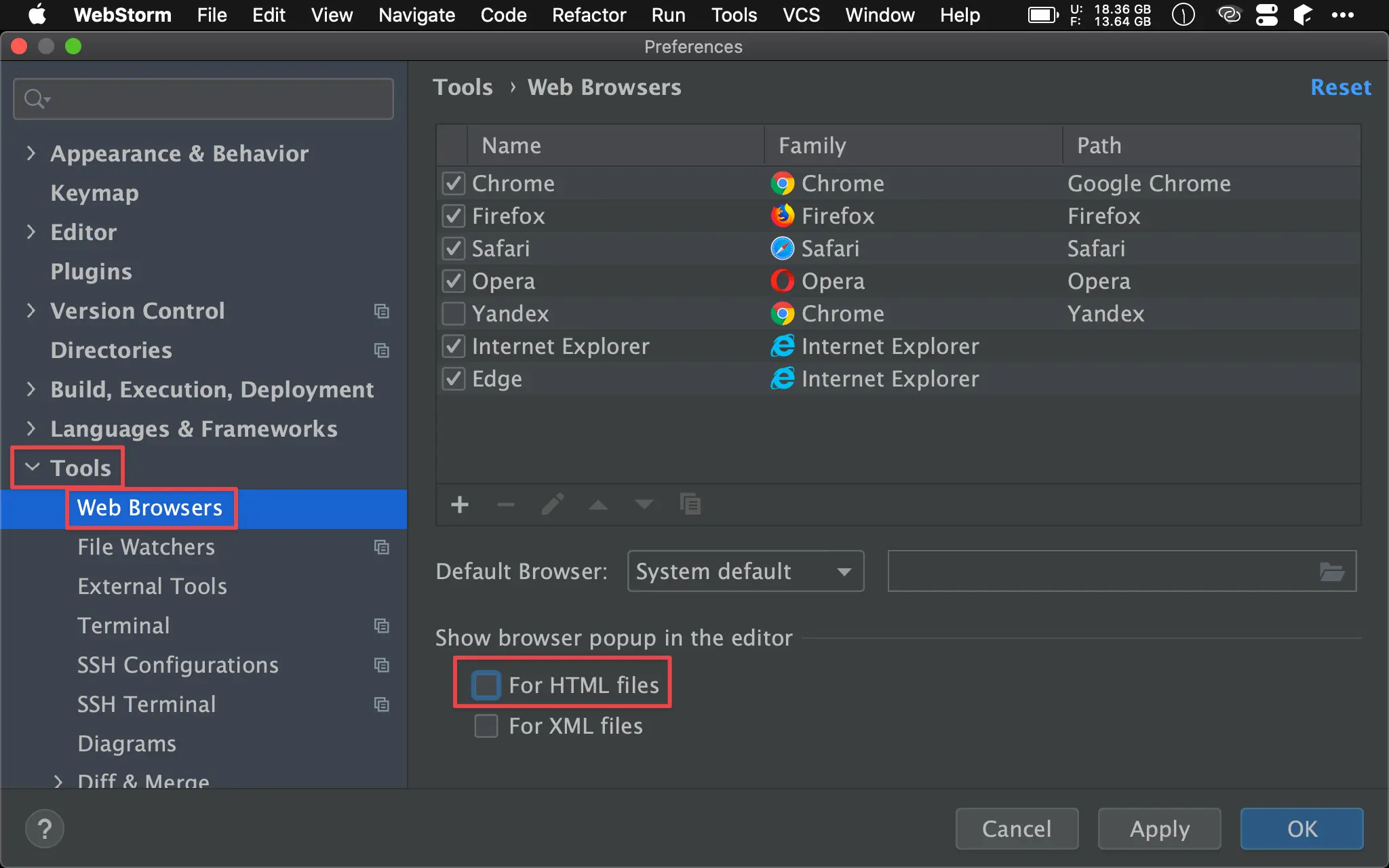
Preferences -> Tools -> Web Browsers
Show browser popup in the editor: For HTML files:false
WebStorm 將
*.vue視為 HTML 檔案,因此在右上角會顯示各 browser 的 button 供 preview,但實際上完全沒有用途,因為它會使用 WebStorm 內建的 Web Server,而非 Vue CLI 的 Dev Server,因此加以 disable。
Pug
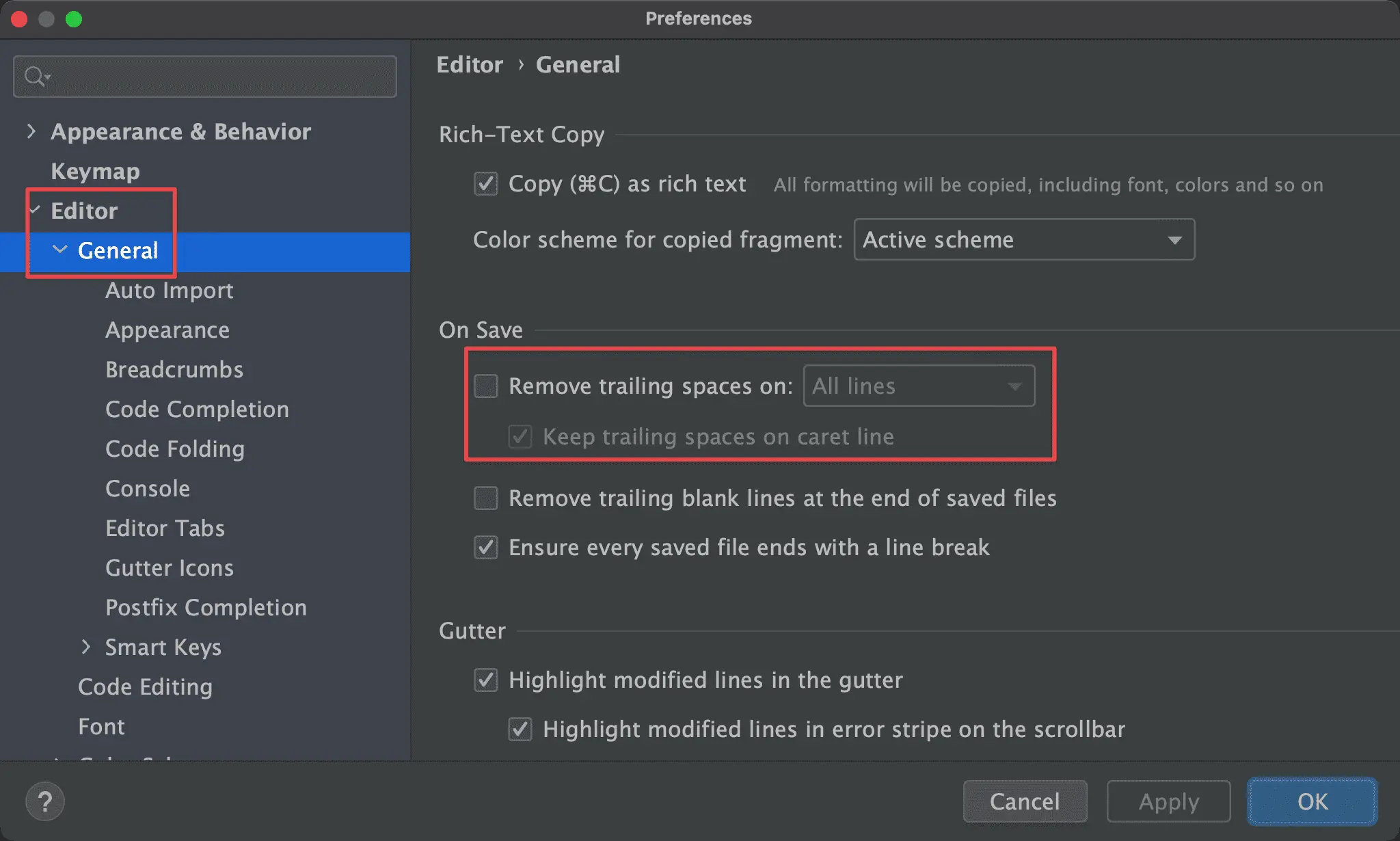
Preferences -> Editor -> General -> On Save
Remove trailing spaces on:false
Pug 會在最後以 space 墊出 white space,因此不能刪除
Conclusion
- WebStorm 目前支援 Vue 良好,除了少部分要調整外,就可完美在 WebStorm 開發 Vue,不用再安裝任何 plugin