
由於 HTML 是橫向發展,如 VS Code 的 ⌥ Z 快速切換 Word Wrap 就相當實用;WebStorm 雖然也有提供相對應的 Soft-Wrap,卻沒提供 Shortcut,本文提供兩種方式解決。
Version
macOS Mojave 10.14.5
WebStorm 2019.1.3
Soft-Wrap
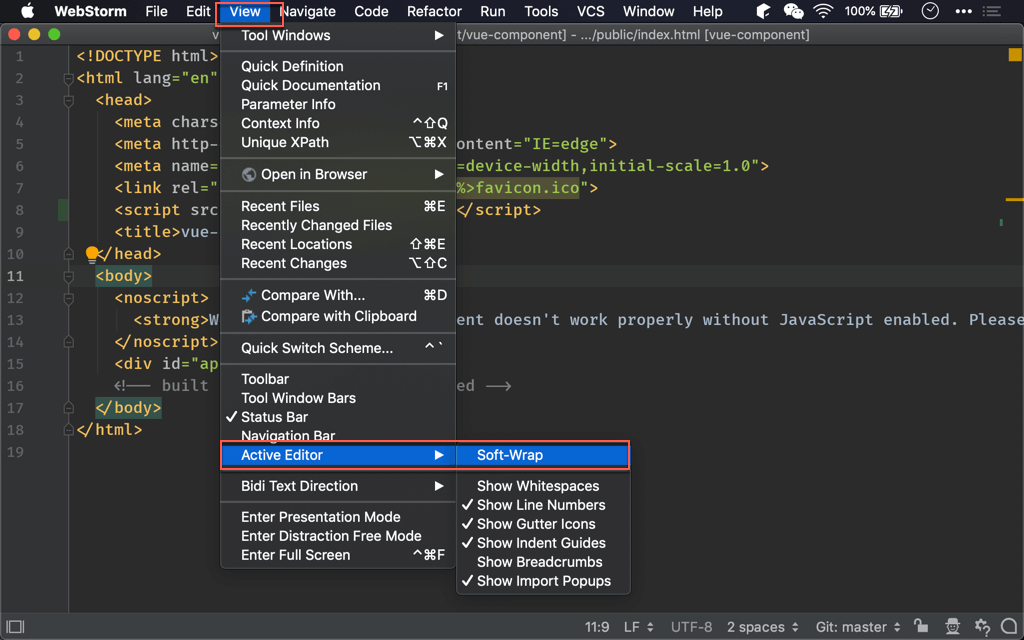
WebStorm 其實也有支援 Word Wrap,是在 View -> Active Editor -> Soft-Wrap 下,但可惜沒有 shortcut,因此使用上不方便。
Find Action
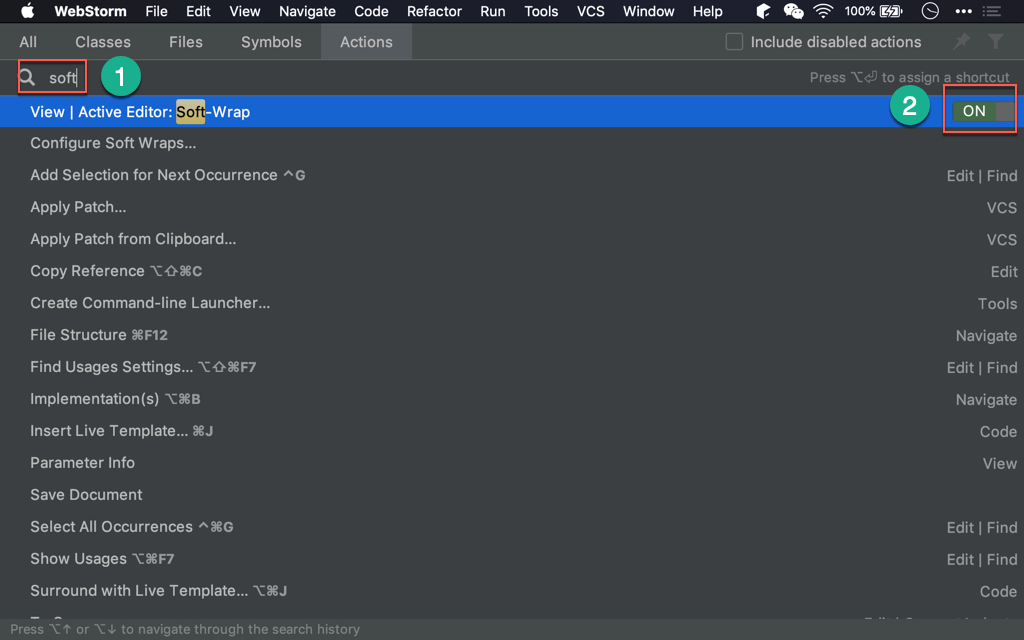
⌘ ⇧ A 呼叫 Find Action,輸入 soft,可快速對 Soft-wrap 切換 ON 或 OFF
A表 action
Keymap
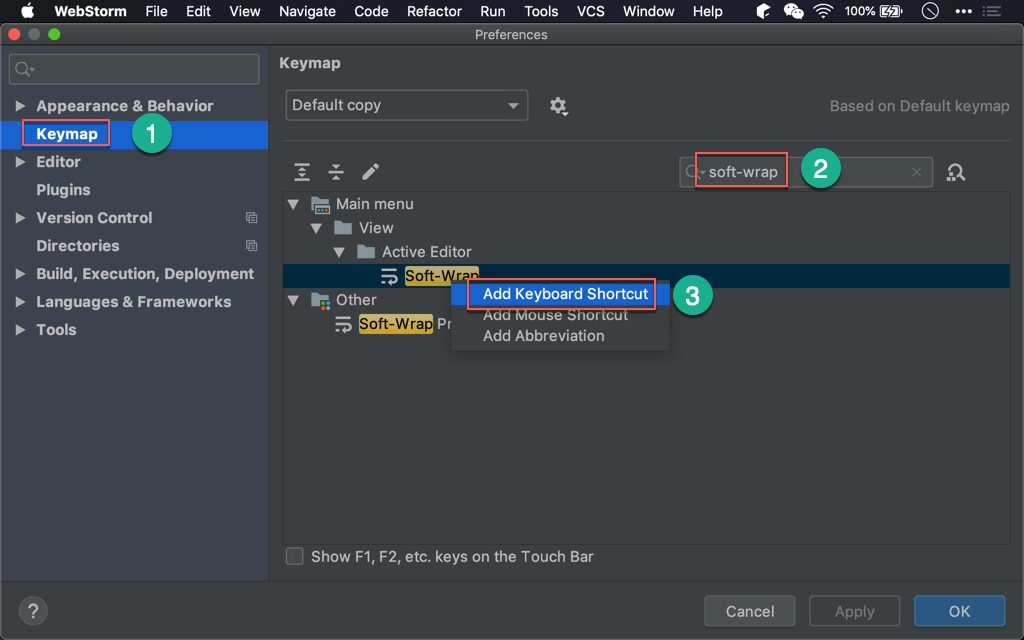
Preferences -> Keymap,輸入 soft-wrap,在 Soft-wrap 右鍵選擇 Add Keyboard Shortcut。
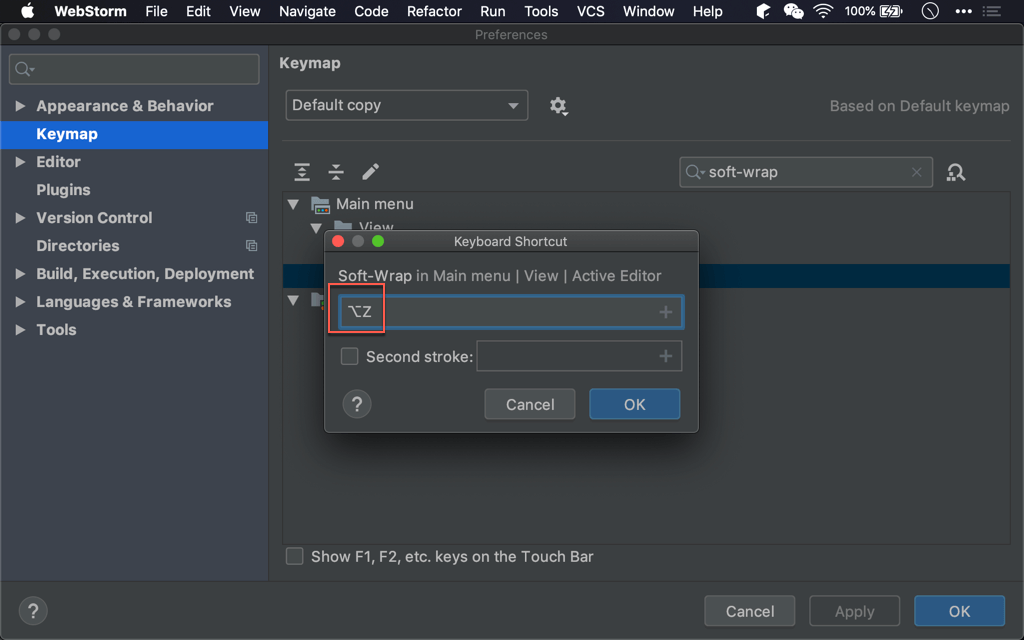
以 VS Code 的 ⌥ Z 為 shortcut,如此就可以 ⌥ Z 快速切換 soft-wrap。
Conclusion
- 他山之石可以攻錯,一些 VS Code 好用的操作方式,也可舉一反三用在 WebStorm