
常聽前輩說盡量少用 ID Selector,這會導致日後維護困難,本文以 Functional CSS 角度,解釋為什麼不該使用 ID Selector。
Version
macOS Catalina 10.15.5
WebStorm 2020.1.3
Vue 2.6.11
Tailwind CSS 1.4.6
ID Selector
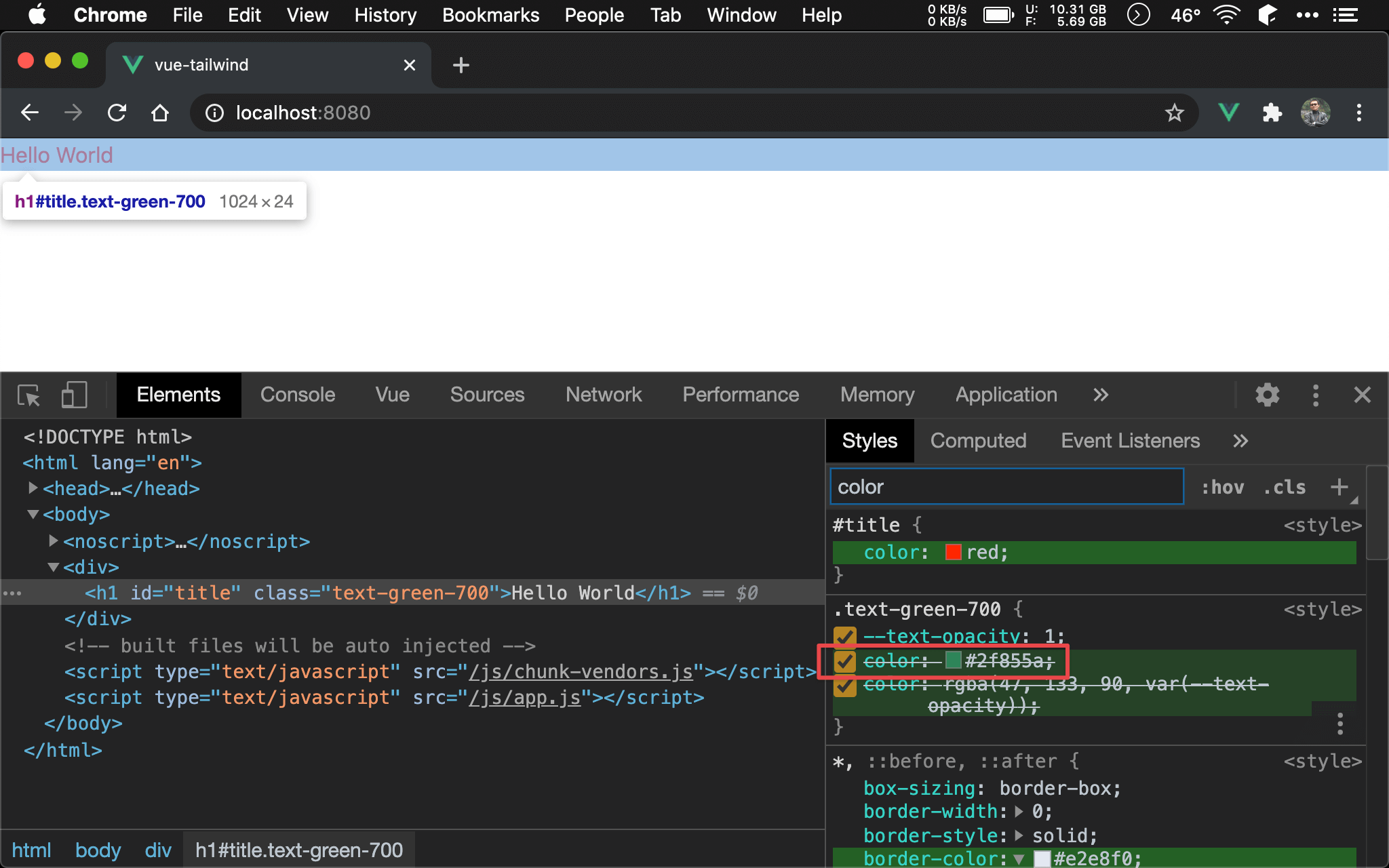
僅管套用了 Tailwind 的 text-green-700 utility,Hello World 仍然顯示紅色 。
<template>
  <div>
    <h1 id="title" class="text-green-700">Hello World</h1>
  </div>
</template>

<script>
export default {
  name: 'app',
}
</script>

<style>
#title {
  color: red;
}
</style>
14 行
#title {
  color: red;
}
<h1> 以 #title ID selector 指定為紅色。
第 3 行
<h1 id="title" class="text-green-700">Hello World</h1>
這使的 <h1> 套用 Tailwind 的 text-green-700 utility 沒有任何效果,因為 ID selector 的 specificity 比 class selector 重,因此無法使用 Tailwind。
Class Selector
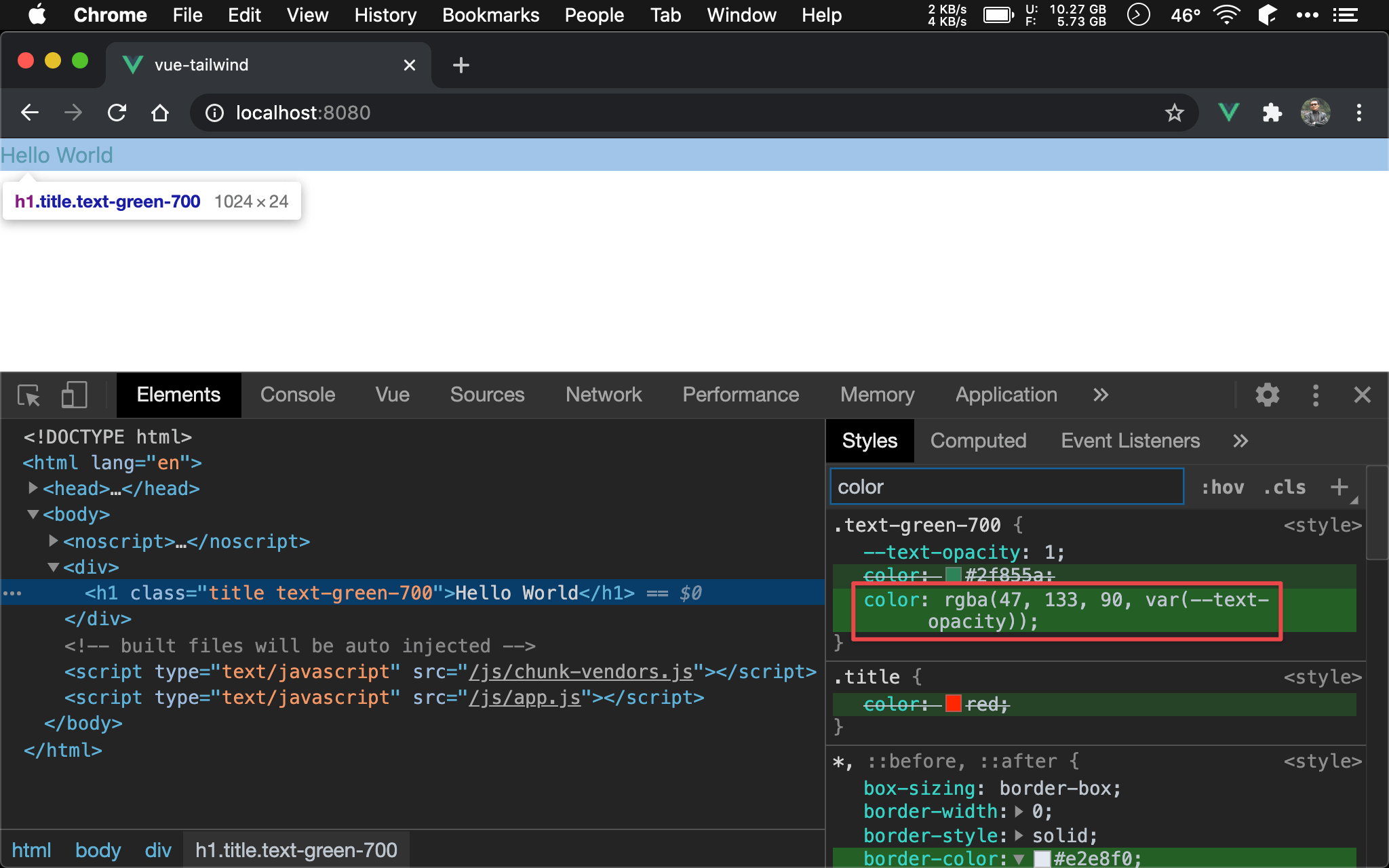
套用了 Tailwind 的 text-green-700 utility 顯示綠色。
<template>
  <div>
    <h1 class="title text-green-700">Hello World</h1>
  </div>
</template>

<script>
export default {
  name: 'app',
}
</script>

<style>
.title {
  color: red;
}
</style>
14 行
.title {
  color: red;
}
比較好的方式是改用 class selector,而 Tailwind 的 text-green-700 也是 class selector,彼此 specificity 相同,而 Tailwind 又是由 PostCSS 處理,基於後蓋前原則,text-green-700 會壓過 title,因此可順利使用 Tailwind。
Descendant Combinator
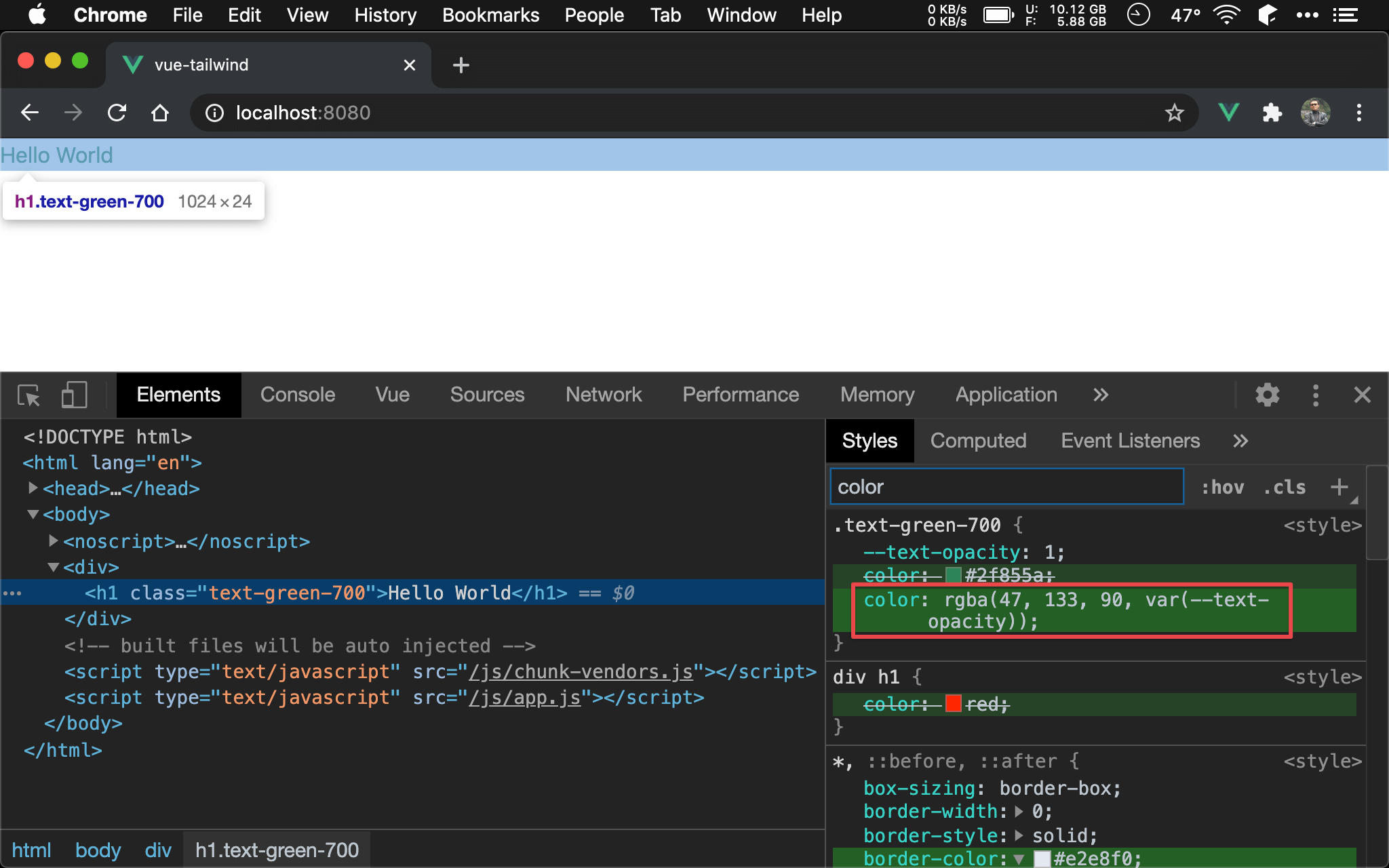
套用了 Tailwind 的 text-green-700 utility 顯示綠色。
<template>
  <div>
    <h1 class="text-green-700">Hello World</h1>
  </div>
</template>

<script>
export default {
  name: 'app',
}
</script>

<style>
div h1 {
  color: red;
}
</style>
14 行
div h1 {
  color: red;
}
若你不想另外建立 class,也可使用 div h1 找到 Hello World,由於也是 class selector,其 specificity 與 text-green-700 相同,而 Tailwind 又是由 PostCSS 處理,基於後蓋前原則,text-green-700 會壓過 div h1,因此可順利使用 Tailwind。
Conclusion
- 若要善用 Tailwind 的 utility,實務上應避免使用 ID selector,由於其 specificity 太重,會導致 Tailwind 的 utility 都派不上用場