
一個常見的需求,由於不算視覺部分,直覺要使用 JavaScript 處理,其實 CSS 就能解決。
Version
CSS 3
Image by File Extension
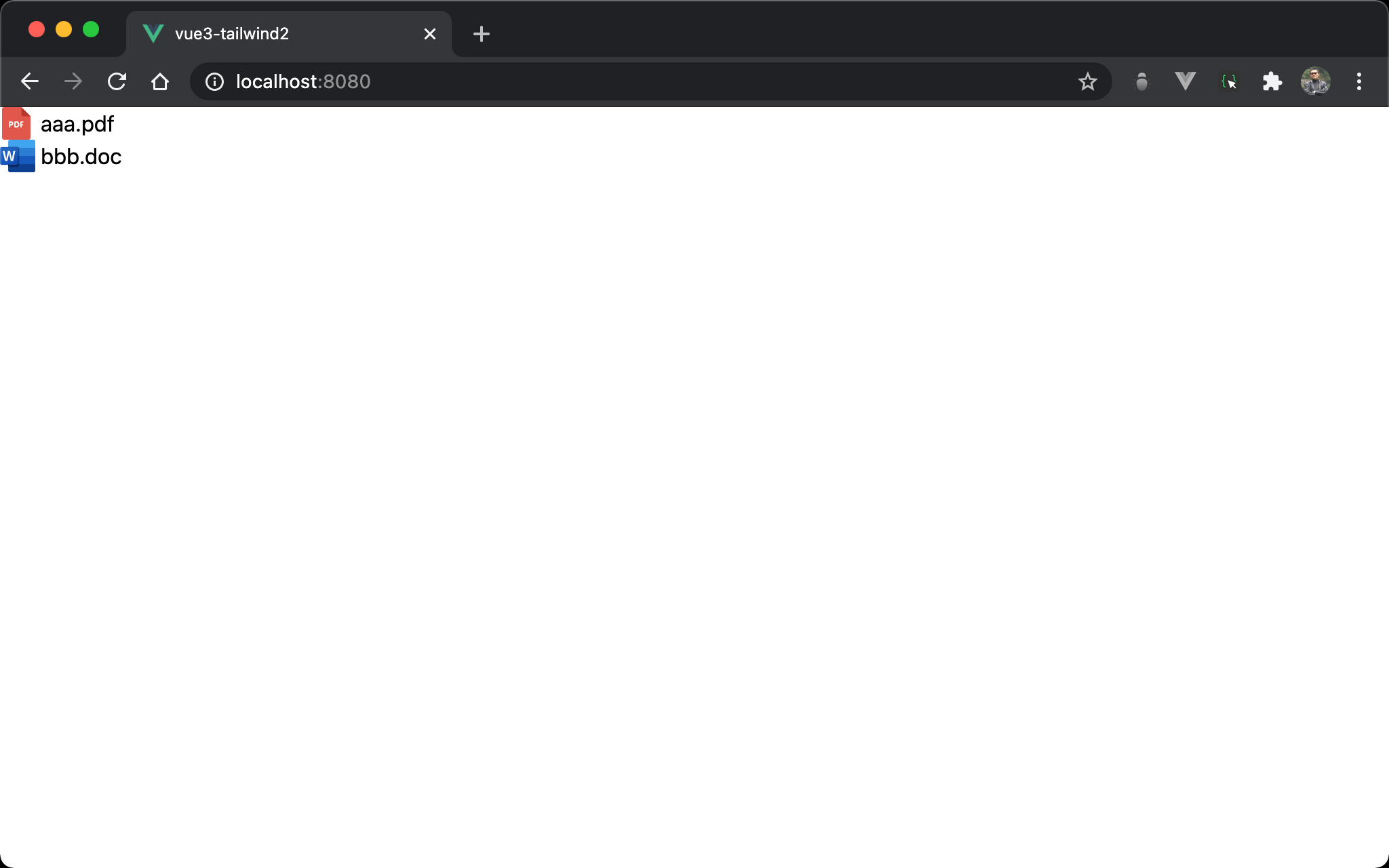
若 file extension 為 pdf,則顯示 pdf.svg;若為 doc,則顯示 word.svg。
若使用 JavaScript 當然可行,可能完全使用 CSS 實現嗎 ?
Attribute Selector
<template>
  <div class="download">
    <a href="aaa.pdf">aaa.pdf</a>
    <a href="bbb.doc">bbb.doc</a>
  </div>
</template>

<style scoped>
.download a {
  display: block;
  padding-left: 30px;
}

.download a[href $= '.pdf'] {
  background: url('assets/pdf.svg') no-repeat;
}

.download a[href $= '.doc'] {
  background: url('assets/word.svg') no-repeat;
}
</style>
第 2 行
<div class="download">
  <a href="aaa.pdf">aaa.pdf</a>
  <a href="bbb.doc">bbb.doc</a>
</div>
很平凡地將兩個 <a> 包在 <div> 內。
第 6 行
.download a {
  display: block;
  padding-left: 30px;
}
display: block:<a>是 inline element,為了使其並排,將其轉成 block elementpadding-left: 30px:圖片將使用background-image呈現,故設定padding-left: 30px用來顯示圖片
14 行
.download a[href $= '.pdf'] {
  background: url('assets/pdf.svg') no-repeat;
}
href $= '.pdf':attribute selector 可搭配 regular express 判斷結尾為.pdfbackground:設定<a>的背景為圖片,且no-repeat不重複
18 行
.download a[href $= '.doc'] {
  background: url('assets/word.svg') no-repeat;
}
使用相同方式設定 .doc。
大部分情況下,使用
background是方便的,它讓我們一次設定多個 property,但在這種使用情境下,我們卻必須重複設定no-repeat。
Refactor CSS
<template>
  <div class="download">
    <a href="aaa.pdf">aaa.pdf</a>
    <a href="bbb.doc">bbb.doc</a>
  </div>
</template>

<style scoped>
.download a {
  display: block;
  padding-left: 30px;
  background-repeat: no-repeat;
}

.download a[href $= '.pdf'] {
  background-image: url('assets/pdf.svg');
}

.download a[href $= '.doc'] {
  background-image: url('assets/word.svg');
}
</style>
第 9 行
.download a {
  display: block;
  padding-left: 30px;
  background-repeat: no-repeat;
}
background-repeat: no-repeat:將共用的no-repeat重構到.download a,如此no-repeat只要寫一次即可。
15 行
.download a[href $= '.pdf'] {
  background-image: url('assets/pdf.svg');
}
background-image:從background改成background-image,只設定檔案位置即可
19 行
.download a[href $= '.doc'] {
  background-image: url('assets/word.svg');
}
不需再重複 no-repeat。
Conclusion
- 善用 Attribute selector 的 regular expression,如此就不必使用到 JavaScript
- 當 property 重複設定時,可改設定到上層 selector